TTN Stack v3
1. Introduction
Notes for using Dragino Devices with TTN Stack3.
2. Downlink
Use MQTT API for downlink: Reference: TTN Stack v3 MQTT reference
Download command is:
::: box mosquitto_pub -h eu1.cloud.thethings.industries -p 1883 -t v3/akXXXXXps@XXXXXX/devices/lsn50/down/push -u akXXXXXps@XXXXXX -P NNSXS.XXXXXXXXXXXXXXXXXXXXXXXXXXXXXXXX.LVQZECLX5FZ3XO5ACOW47IZ6HM54DMBBU776C53ZQHPLPQALIXYA -m '{"downlinks":[{"f_port": 2,"frm_payload":"AwAA","priority": "HIGH","confirmed": true}]}'
The MQTT command use -h,-p,-u,-P[ ]options. We can find them in the website.
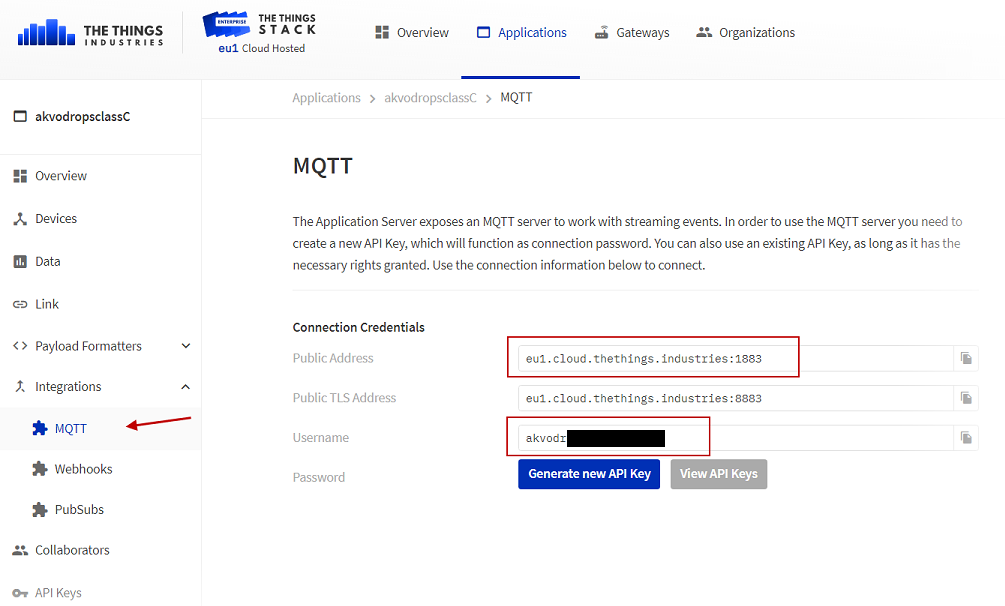
find -h : broker address , -p port and -u: user name
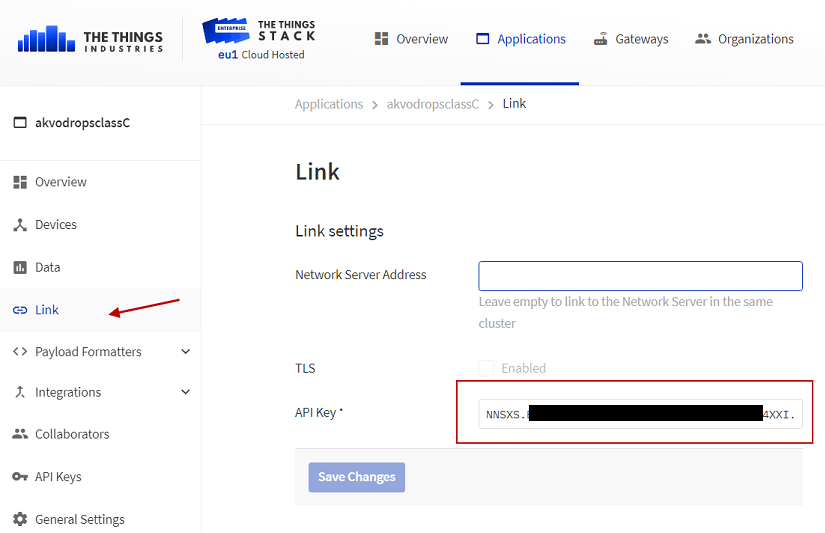
find -P : Password
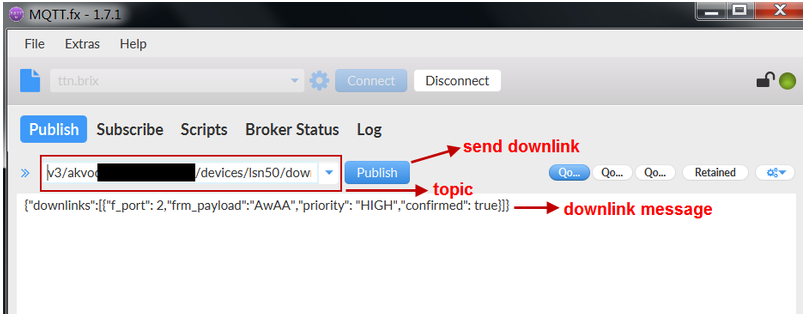
User MQTT.FX to simulate a downlink
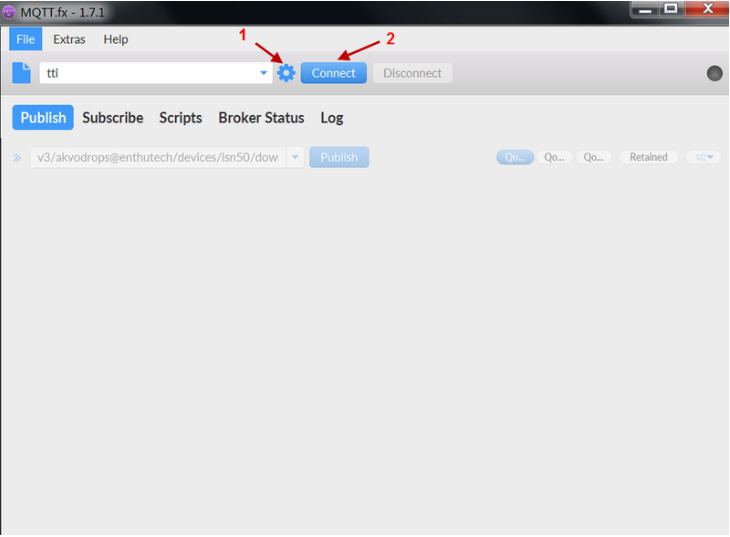
Use MQTT.FX to simulate downlink
Input connection info
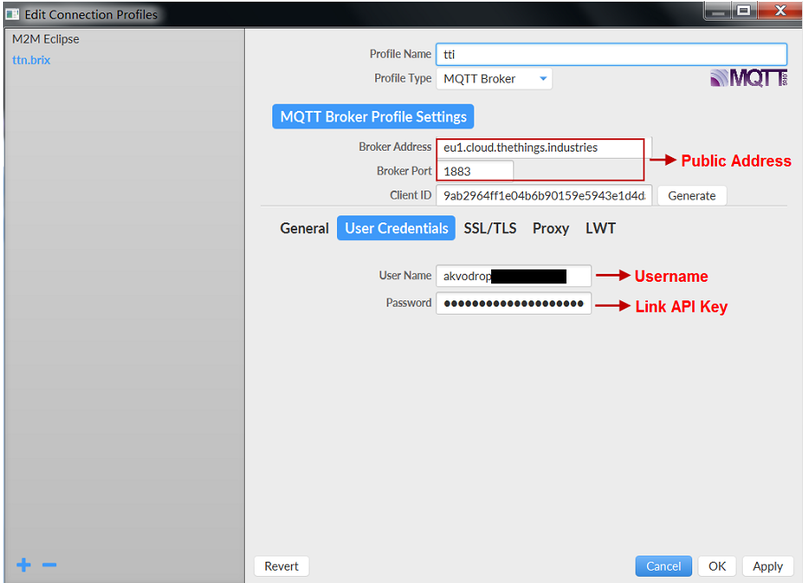
Input MQTT connection info
Send a downstream
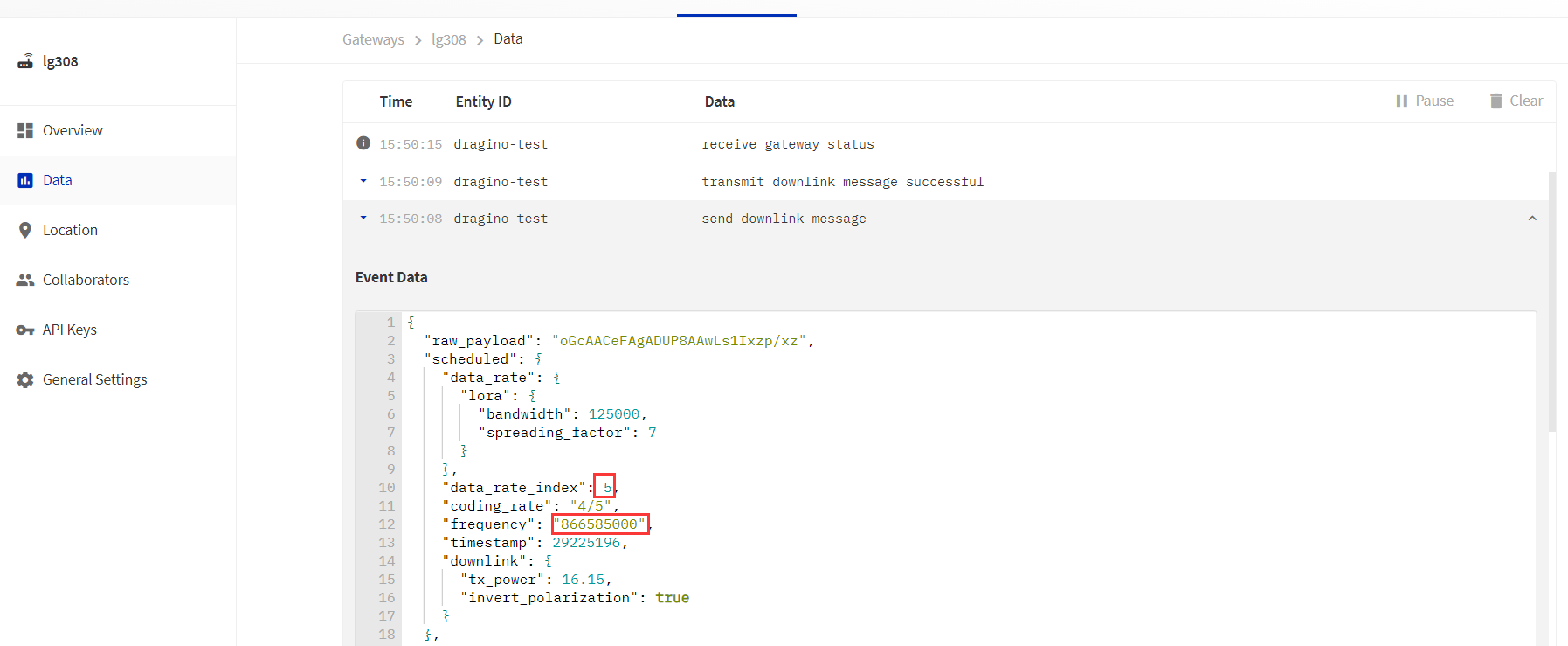
Gateway traffic for downstream
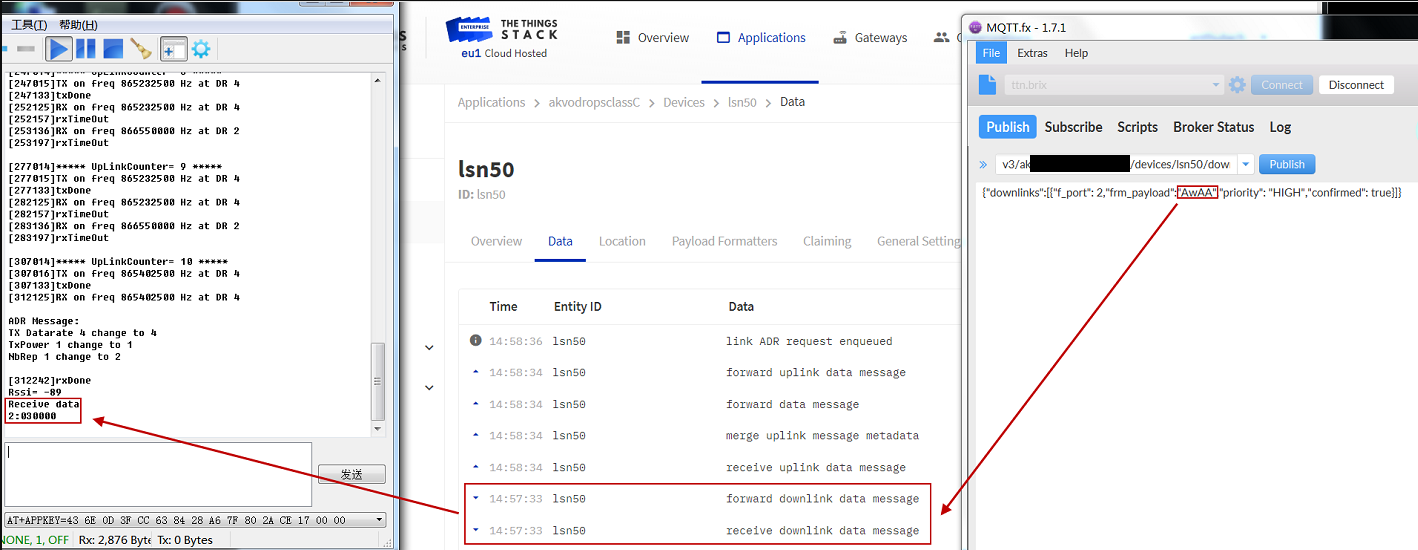
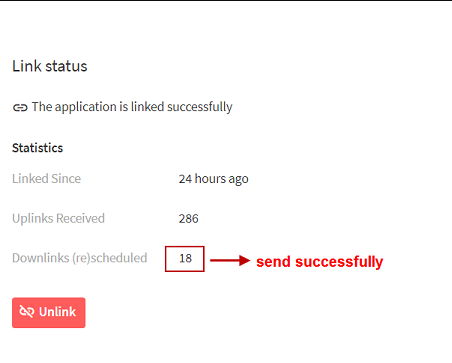
Downstream data flow will like below:
3. Trouble Shooting
3.1 Problem when register a device to TTNv3 if it is already register to TTNv2
When you register the device in V2 and V3 with the same key and EUI, the device can only connect to V2.
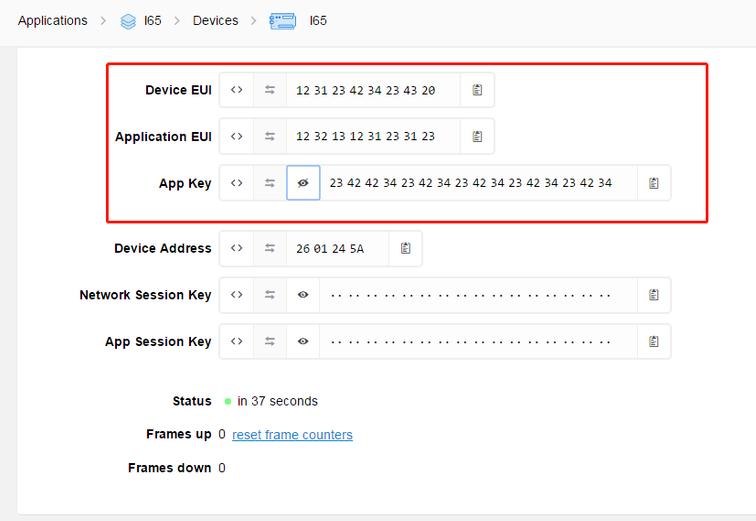
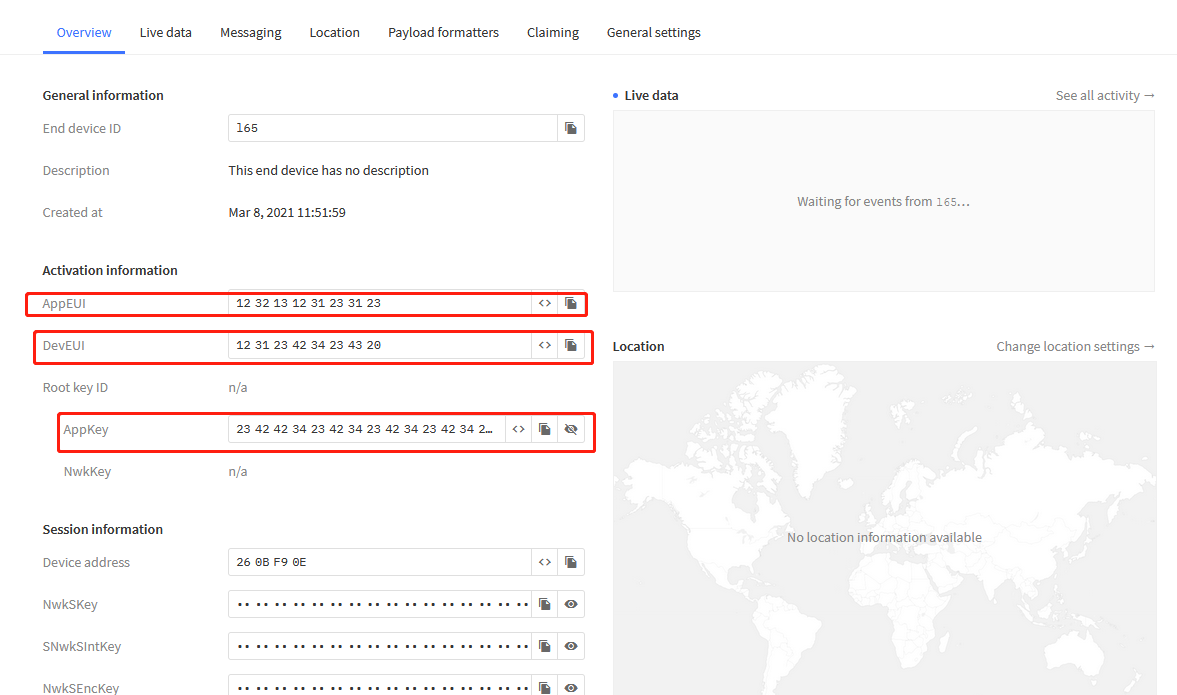
If you want the device to connect to V3. You must change your key and EUI, or delete the device registered on V2.
3.2 MIC Mismatch or MIC Failed
When the device is registered or the device is working normally, the problem of MIC mismatch and MIC failed occurs.
Under normal circumstances, users need to change the APPKEY to solve this problem.
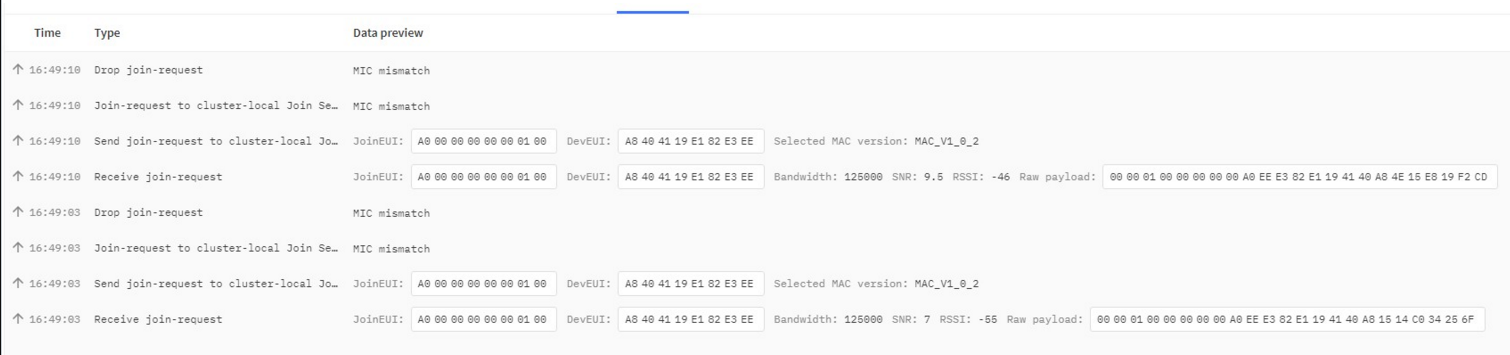
MIC Mismatch
::: like-container