user-manual-of-dragino-lorawan-packet-analyze-tool.png
2. Download address
Dragino LoRaWAN Packet Analyze Tool
3. Analyze Data from different Platform
3.1 Alalyze file from The Things Network
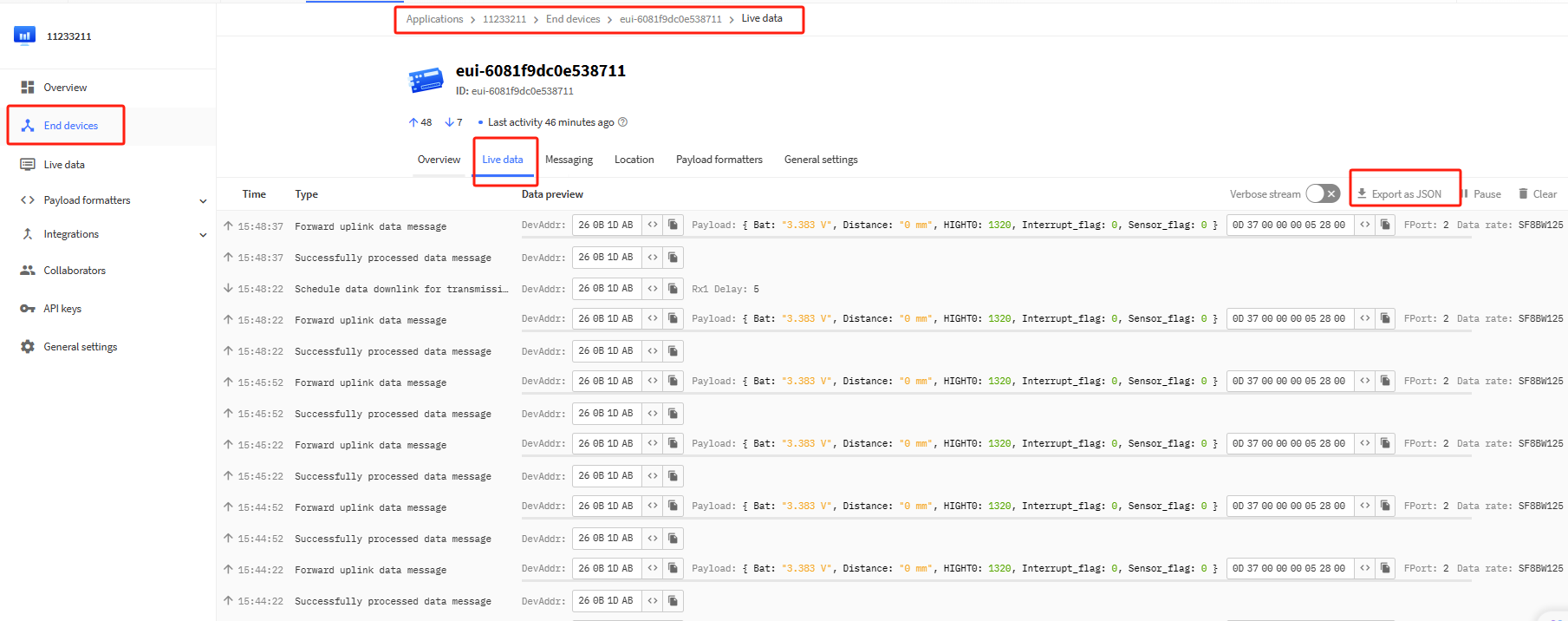
1. Download this file in the node's live data interface
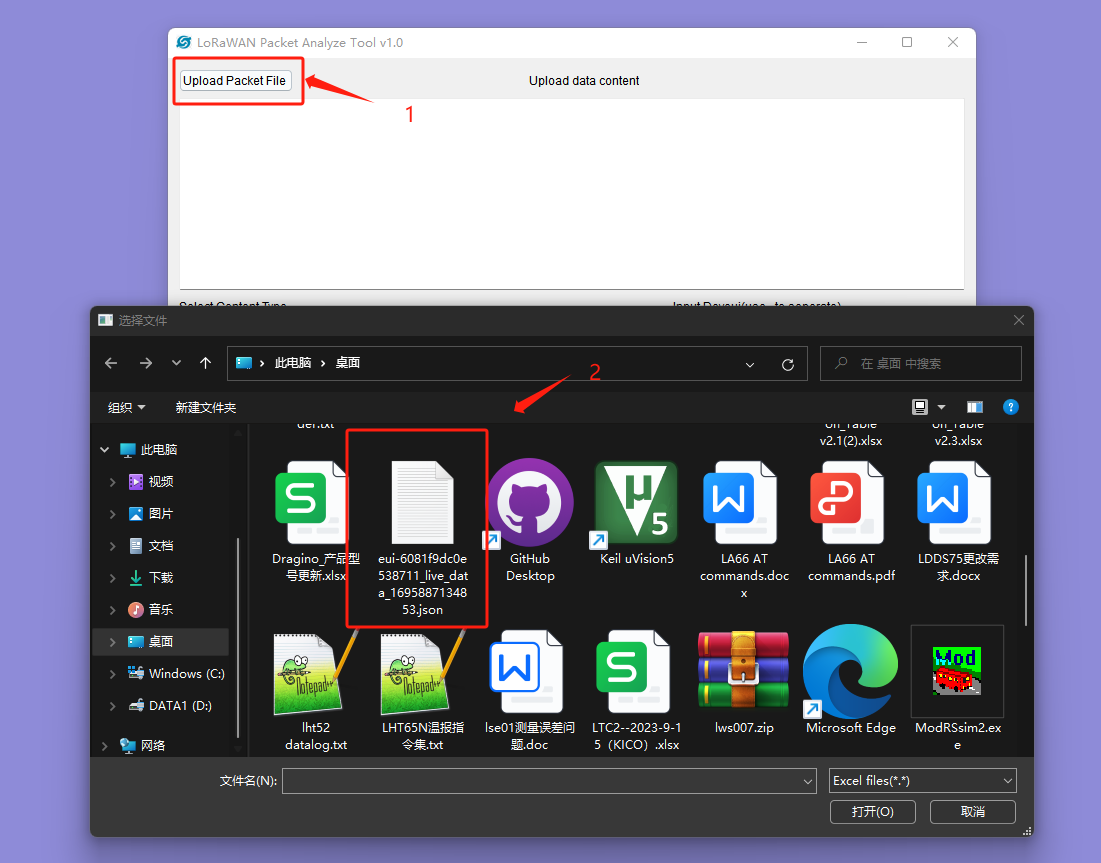
2. Open this file in our Dragino LoRaWAN Packet Analyze Tool
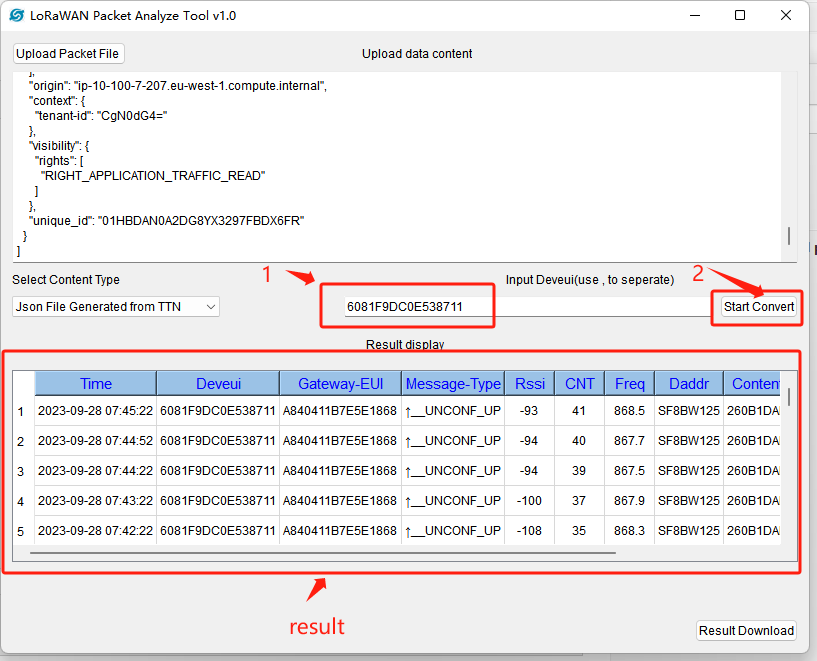
3. Select your type as TTN, enter your deveui, and click to start convert
3.2 Analyze file from ChirpStack
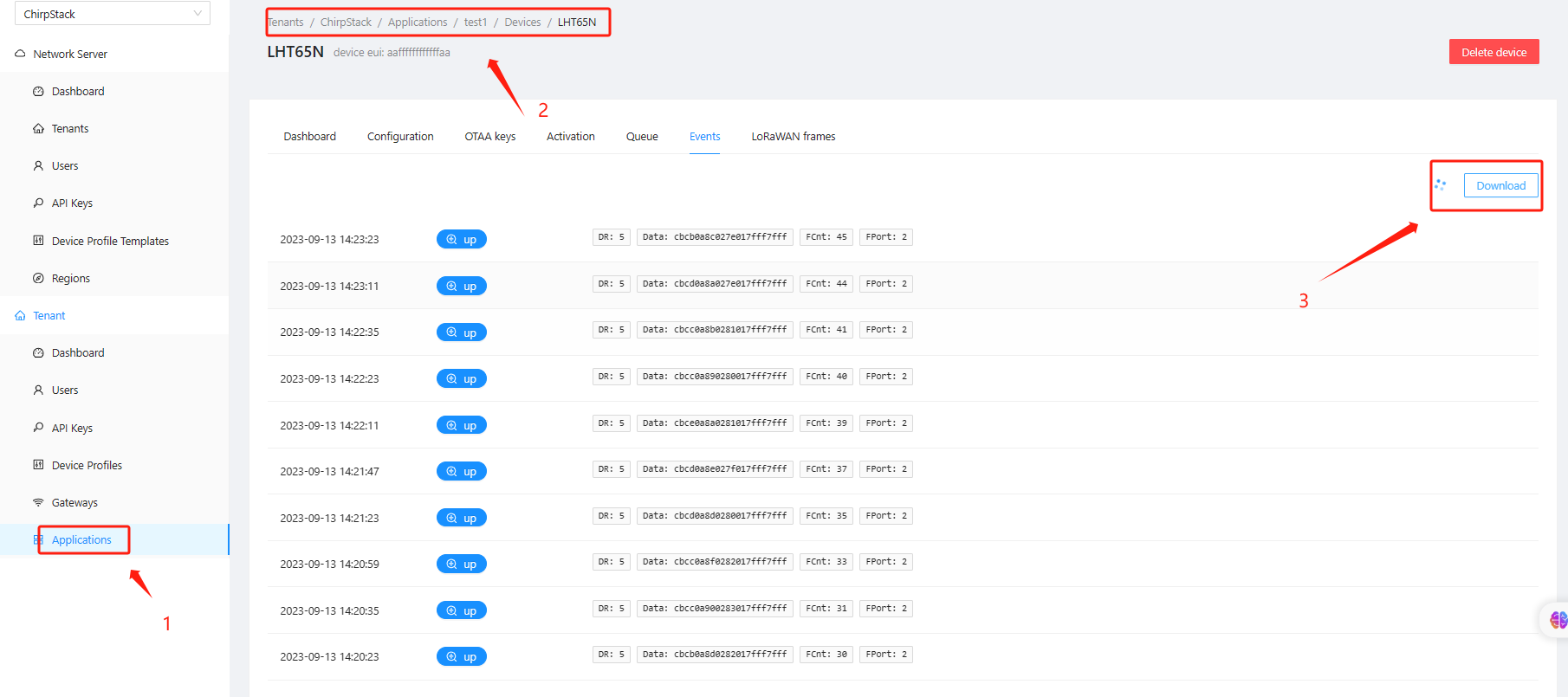
1. Get End Node Logs
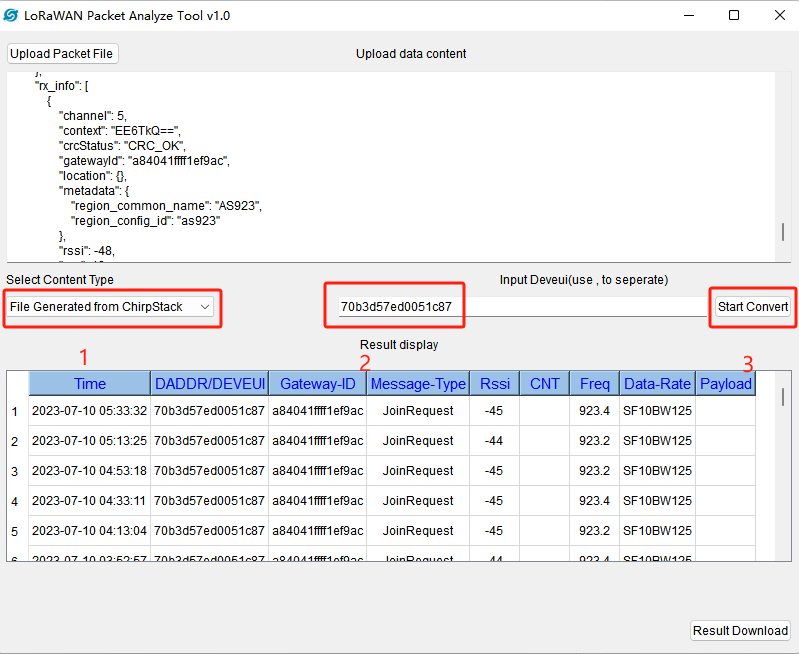
2. Open this file in our Dragino LoRaWAN Packet Analyze Tool
3. Select your type as Chirpstack, enter your Dev EUI, and click to start convert
0
Toggle the left panel column.