LoRaWAN Gateway with OpenVPN Support
How to use/configure OpenVPN.
1.) Install OpenVPN for the gateway
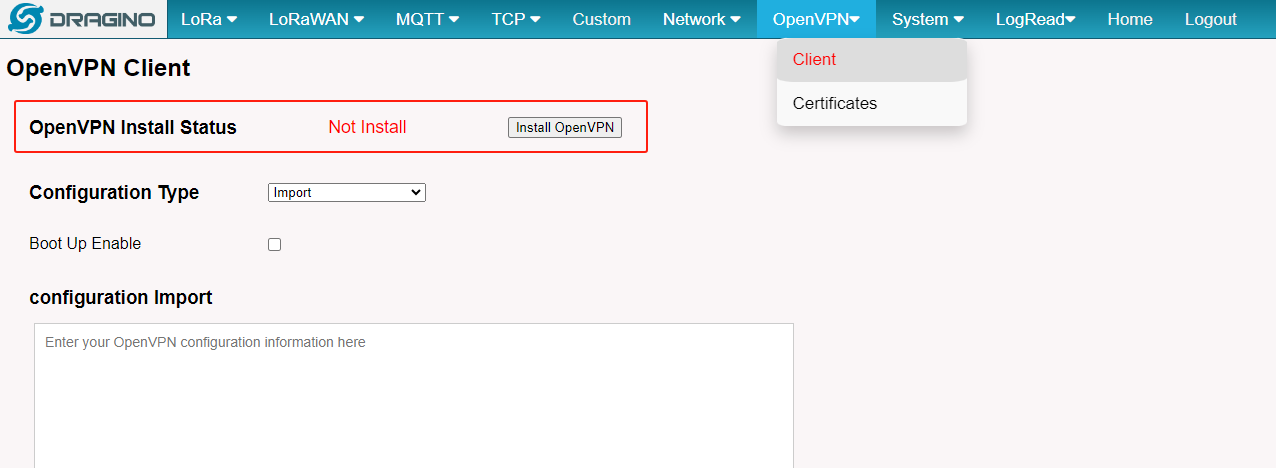
The gateway website will show the Install status if the OpenVPN is not installed by the gateway, you have to install OpenVPN for the gateway via the 'Install OpenVPN' button
Note: The gateway has to access the internet when installing OpenVPN
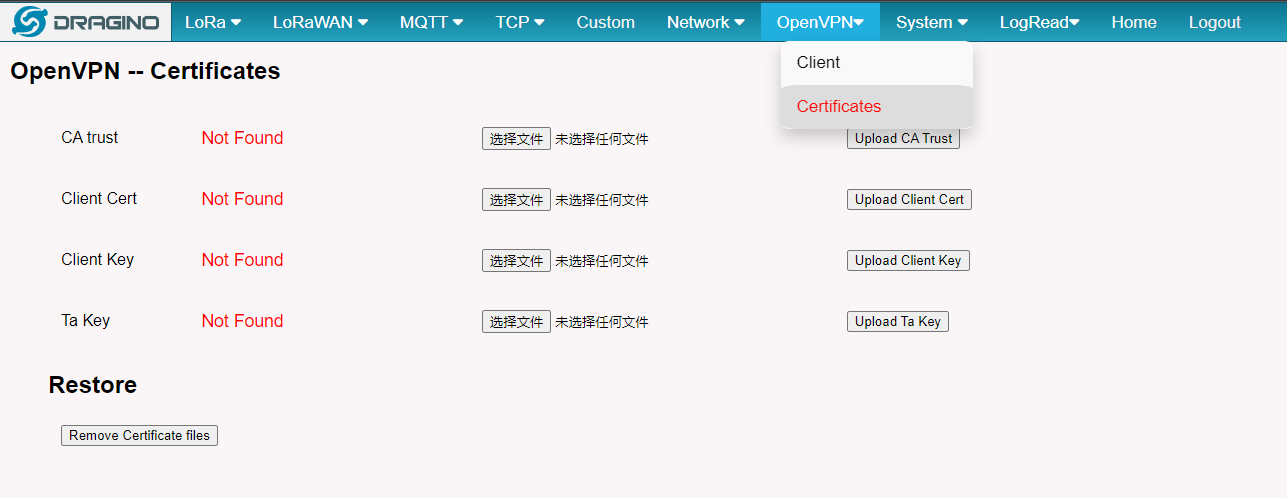
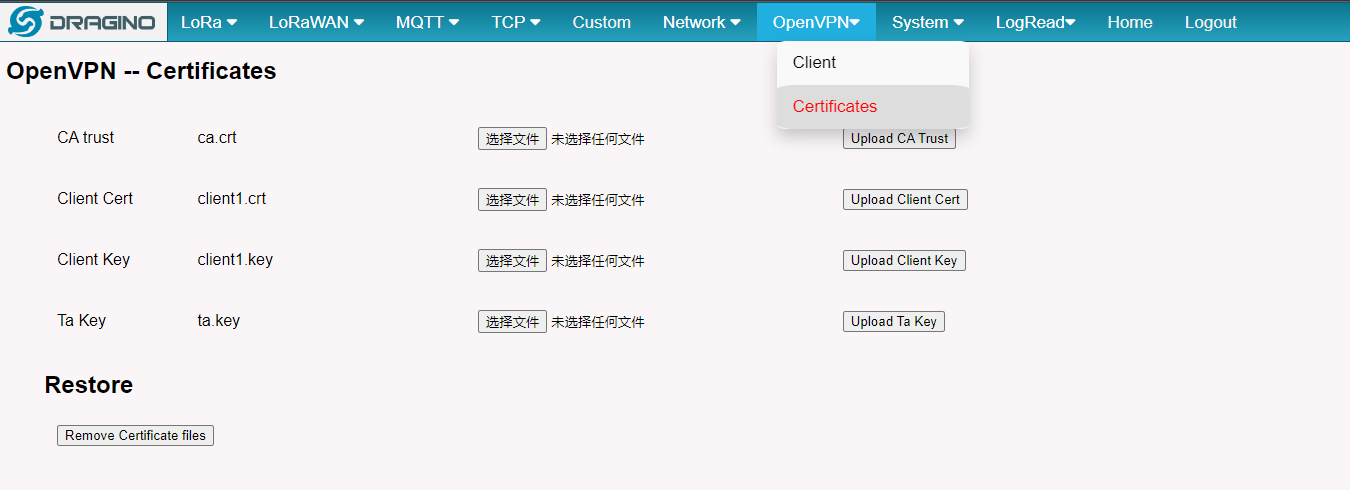
2.) Login to the gateway Web UI and Upload the Client certificates to the gateway Upload Certificates
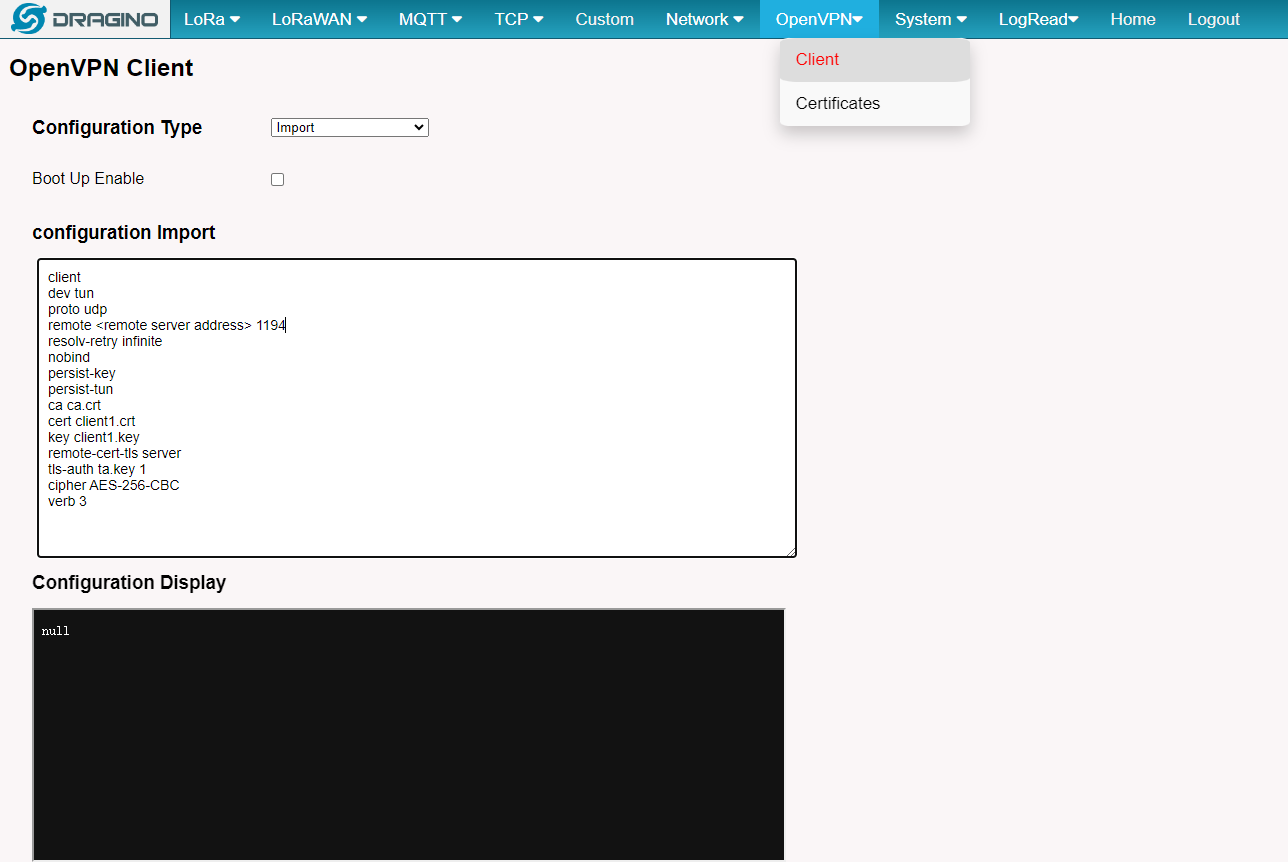
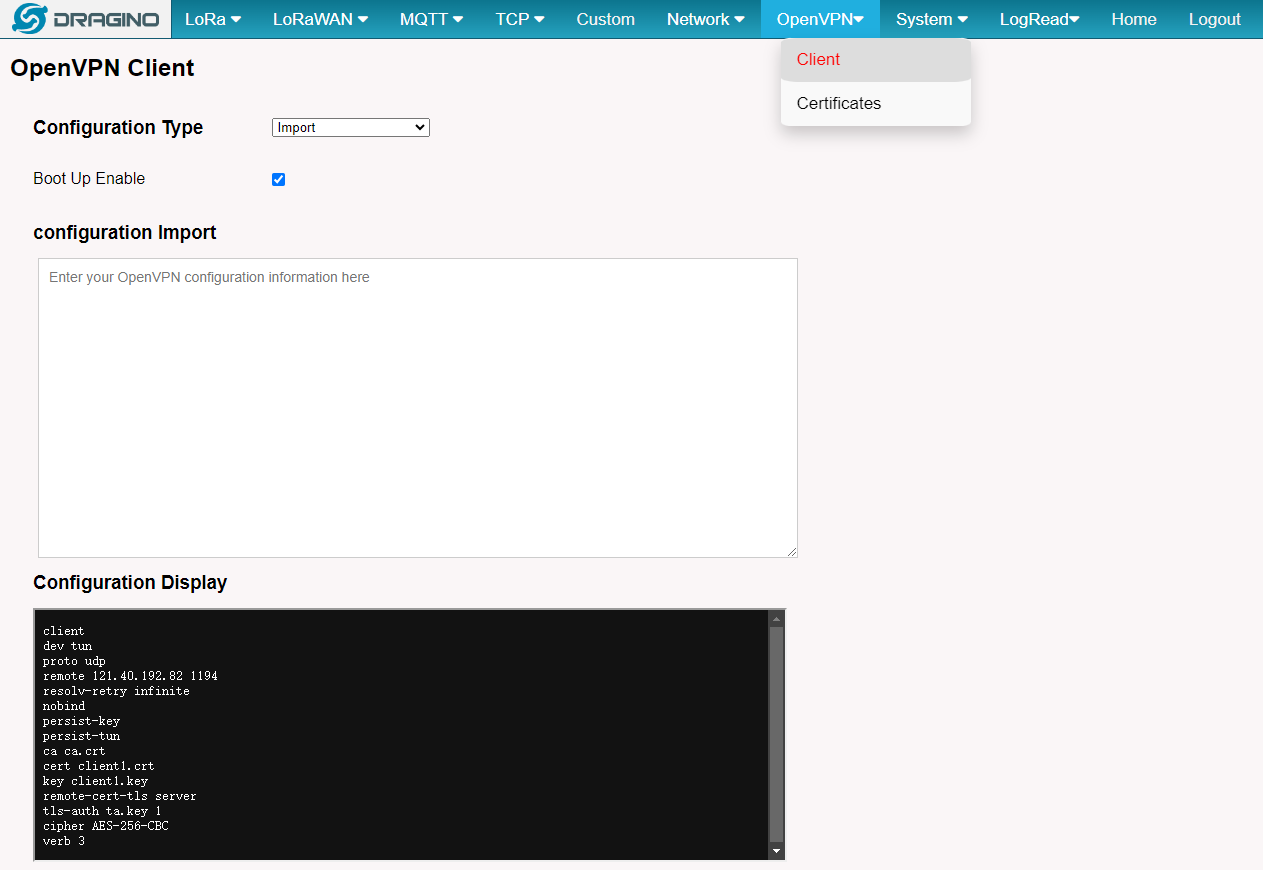
3.) Import configurations to the gateway
Import configuration
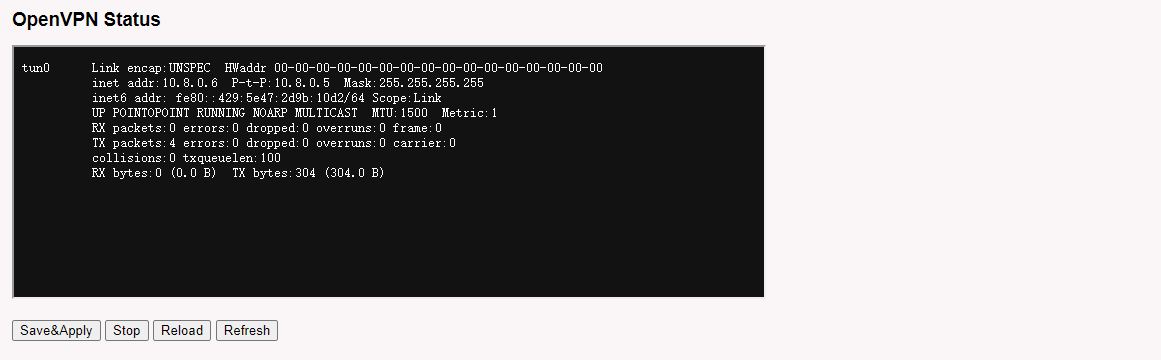
4.) Check running status
0
Toggle the left panel column.