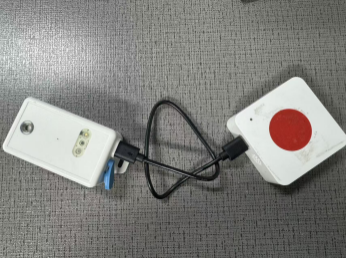
Upgrade LHT65N Firmware via PB01
2. Set PB01 to flashing mode.
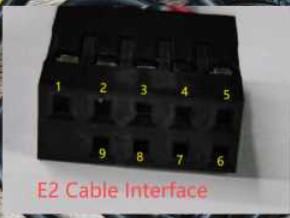
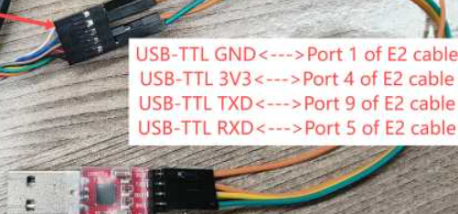
- Use TremoProgrammer to flash the LHT65N firmware onto PB01. Select the serial port and baud rate (921600), select the firmware (address 0x08000000), and click Start to begin flashing.
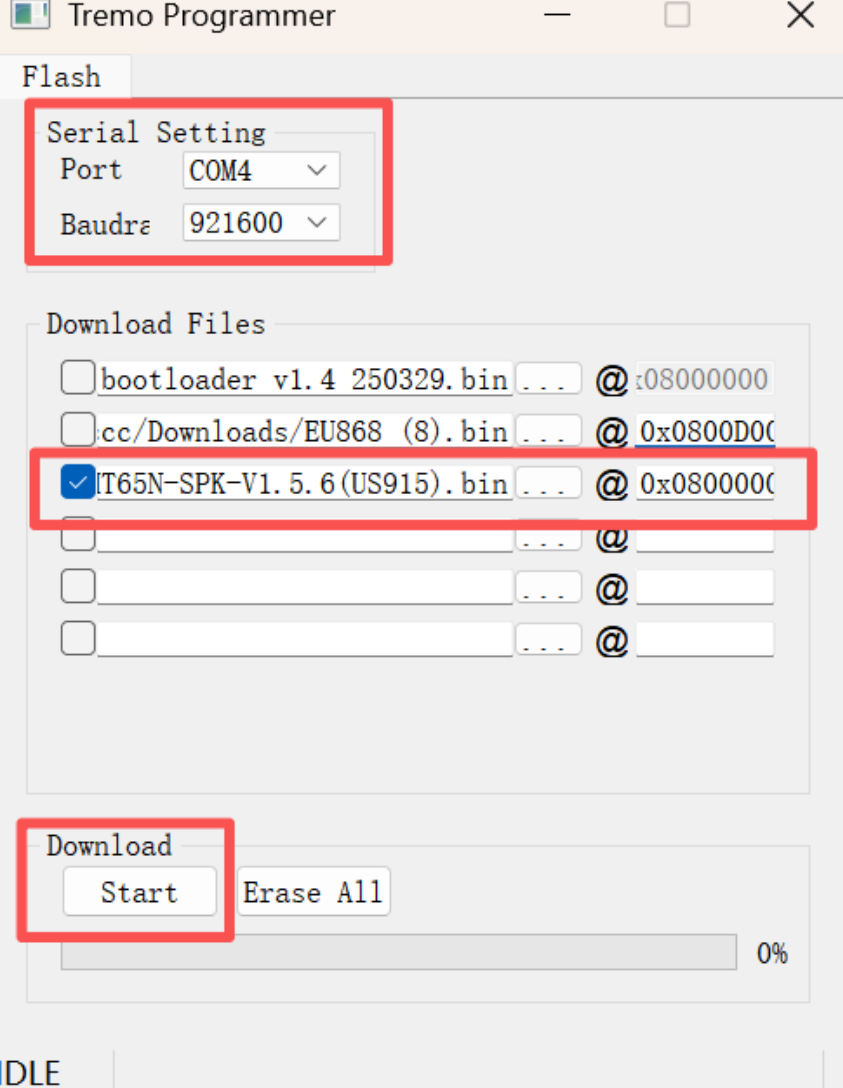
- After successful flashing, remove the PB01 battery to discharge it, then reinstall the battery and power on to enter working mode.
5.Connect the LHT65N and PB01 using a data cable. First, press the reset button on the LHT65N for 5 seconds to restart the device. Then, press the PB01 button for 5 seconds to enter flashing mode. The PB01 will then flash its firmware into the LHT65N device. (The PB01 will flash blue frequently during the flashing process.) A green light and beep indicate successful flashing.