Change Gateway Power
1. Overview
In LoRaWAN protocol, the gateway transmit packet uses the output power base on the Power Index from the LoRaWAN server downlink. for example, the LoRaWAN server sends a downlink with this info"rf_power=14", gateway got this info and it will search the index for rf_power=14 and use the related rf setting to set output power. In some cases, the LoRaWAN server might set the rf-power to a quite low value ( for example 0dB) which is not practical for use. In such a case, the User can manually change the rf_power=0's rf settings to a higher power out. Below are the methods.
2. Change Power for Semtech UDP Paket forward connection
In LoRaWAN protocol, the gateway output power refers to the downstream packets sent by Gateway. This output power is controlled by the LoRaWAN server.
Gateway maintains a power index in the file: /etc/lora/global_conf.json for example:
"tx_lut_3": {
    "desc": "TX gain table, index 3",        // Index 3 refer to rf_power: 15dB. device will set the pa_gain,mix_gain,dig_gain
    "pa_gain": 2,                                      // to the value mentioned here so to generate 15dB output power.
    "mix_gain": 10,
    "rf_power": 15,
    "dig_gain": 1
},
"tx_lut_4": {
    "desc": "TX gain table, index 4",
    "pa_gain": 2,
    "mix_gain": 10,
    "rf_power": 16,
    "dig_gain": 0
}
Note: If when lorawan server specifies a rf_power that is not listed above. gateway will choose the closest power. profile.
When the LoRaWAN server sends a downlink stream, the server will also ask the gateway to use rf_power as output. So users don't need to consider controlling on the gateway side.
If users want to always use a higher power or a lower power. Users can modify the pa_gain,mix_gain, and dig_gain to specify rf_power to achieve this purpose. This is not recommended, because this might break the regulator for a specific country.
Please note, that the global_conf.json file will be overwritten by the match region files in /etc/lora/cfg-30x when changing settings on the web. So the user needs to change the files in /etc/lora/cfg-cfg-30x instead of global_conf.json
3. Change Power for LoRaWAN Basic Station connection
First, you need to find out what is the chip module of the gateway?
cat /var/iot/chip
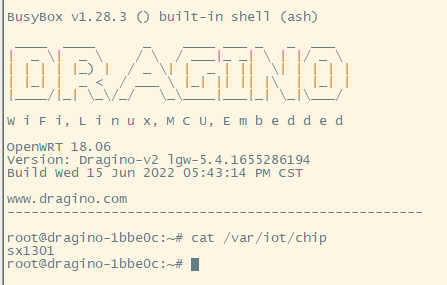
Gateways using the SX1301 LoRaWAN Concentrator are the LG308 and DLOS8.
SX1301 Change Power for LoRaWAN Basic Station Connection example:
Gateway maintains a power index in the file: /etc/station/station-sx1301.conf
{
    /* If slave-X.conf present this acts as default settings */
    "SX1301_conf": {                 /* Actual channel plan is controlled by server */
        "lorawan_public": true,      /* is default */
        "clksrc": 1,                 /* radio_1 provides clock to concentrator */
        /* path to the SPI device, un-comment if not specified on the command line e.g., RADIODEV=/dev/spidev0.0 */
        "device": "/dev/spidev1.0",
        /* freq/enable provided by LNS - only HW specific settings listed here */

         |<------------------------Add parameters:"tx_gain_lut"    :  [ TX_GAIN_LUT, .. ]

        "radio_0": {
            "type": "SX1257",
            "rssi_offset": -166.0,
            "tx_enable": true,
            "antenna_gain": 0
        },
        "radio_1": {
            "type": "SX1257",
            "rssi_offset": -166.0,
            "tx_enable": false
        }
        /* chan_multiSF_X, chan_Lora_std, chan_FSK provided by LNS */
    },
}
Add parameters: "tx_gain_lut": [ TX_GAIN_LUT, .. ]
{
    /* If slave-X.conf present this acts as default settings */
    "SX1301_conf": {                 /* Actual channel plan is controlled by server */
        "lorawan_public": true,      /* is default */
        "clksrc": 1,                 /* radio_1 provides clock to concentrator */
        /* path to the SPI device, un-comment if not specified on the command line e.g., RADIODEV=/dev/spidev0.0 */
        "device": "/dev/spidev1.0",
        /* freq/enable provided by LNS - only HW specific settings listed here */
        "tx_gain_lut":[
                {"rf_power": 12, "pa_gain": 2, "mix_gain": 11, "dig_gain": 2, "dac_gain": 3},
                {"rf_power": 13, "pa_gain": 2, "mix_gain": 10, "dig_gain": 0, "dac_gain": 3},
                {"rf_power": 14, "pa_gain": 2, "mix_gain": 12, "dig_gain": 2, "dac_gain": 3},
                {"rf_power": 15, "pa_gain": 2, "mix_gain": 13, "dig_gain": 2, "dac_gain": 3},

/* Index 3 refer to rf_power: 15dB. device will set the pa_gain,mix_gain,dig_gain */

/* to the value mentioned here so as to generate 15dB output power.*/
                {"rf_power": 16, "pa_gain": 2, "mix_gain": 13, "dig_gain": 1, "dac_gain": 3},
                {"rf_power": 17, "pa_gain": 2, "mix_gain": 14, "dig_gain": 1, "dac_gain": 3},
                {"rf_power": 18, "pa_gain": 2, "mix_gain": 15, "dig_gain": 2, "dac_gain": 3},
                {"rf_power": 19, "pa_gain": 2, "mix_gain": 15, "dig_gain": 1, "dac_gain": 3},
                {"rf_power": 20, "pa_gain": 2, "mix_gain": 15, "dig_gain": 1, "dac_gain": 3},
                {"rf_power": 21, "pa_gain": 3, "mix_gain": 9, "dig_gain": 0, "dac_gain": 3},
                {"rf_power": 22, "pa_gain": 3, "mix_gain": 10, "dig_gain": 0, "dac_gain": 3},
                {"rf_power": 23, "pa_gain": 3, "mix_gain": 11, "dig_gain": 1, "dac_gain": 3},
                {"rf_power": 24, "pa_gain": 3, "mix_gain": 12, "dig_gain": 0, "dac_gain": 3},
                {"rf_power": 25, "pa_gain": 3, "mix_gain": 14, "dig_gain": 0, "dac_gain": 3},
                {"rf_power": 26, "pa_gain": 3, "mix_gain": 14, "dig_gain": 0, "dac_gain": 3},
                {"rf_power": 27, "pa_gain": 3, "mix_gain": 14, "dig_gain": 0, "dac_gain": 3}
            ],
        "radio_0": {
            "type": "SX1257",
            "rssi_offset": -166.0,
            "tx_enable": true,
            "antenna_gain": 0
        },
        "radio_1": {
            "type": "SX1257",
            "rssi_offset": -166.0,
            "tx_enable": false
        }
        /* chan_multiSF_X, chan_Lora_std, chan_FSK provided by LNS */
    },
}
See this link for more station configuration parameters: Concentrator Design (v1.5) - LoRa Basics™ StationLoRa Basics™ Station | DEVELOPER PORTAL (semtech.com)
If users want to always use a higher power or a lower power. Users can modify the pa_gain,mix_gain, and dig_gain to specify rf_power to achieve this purpose. This is not recommended, because this might break the regulator for a specific country.
Note: When the Settings are complete, click "Save&Apply" on the gateway's Web UI
4. Checking station Logs
Run the command:
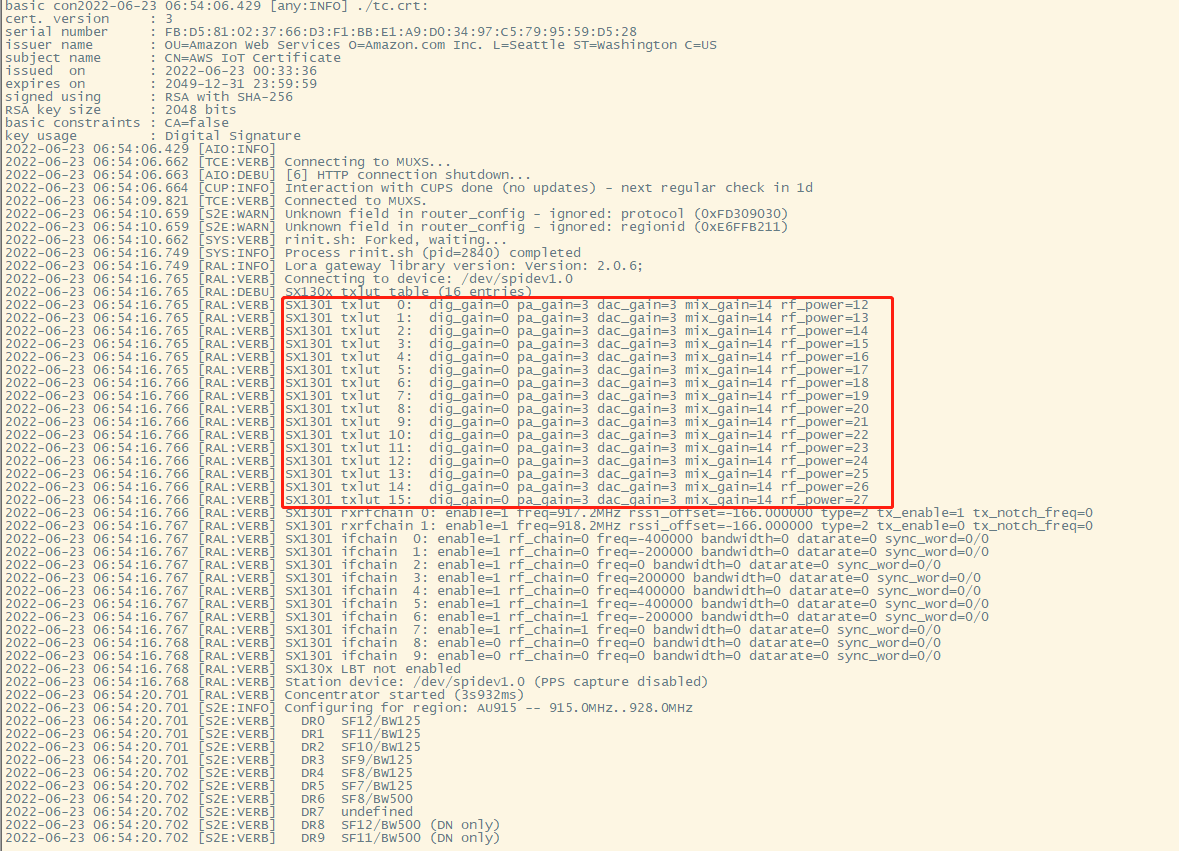
tail -f /var/iot/station.log