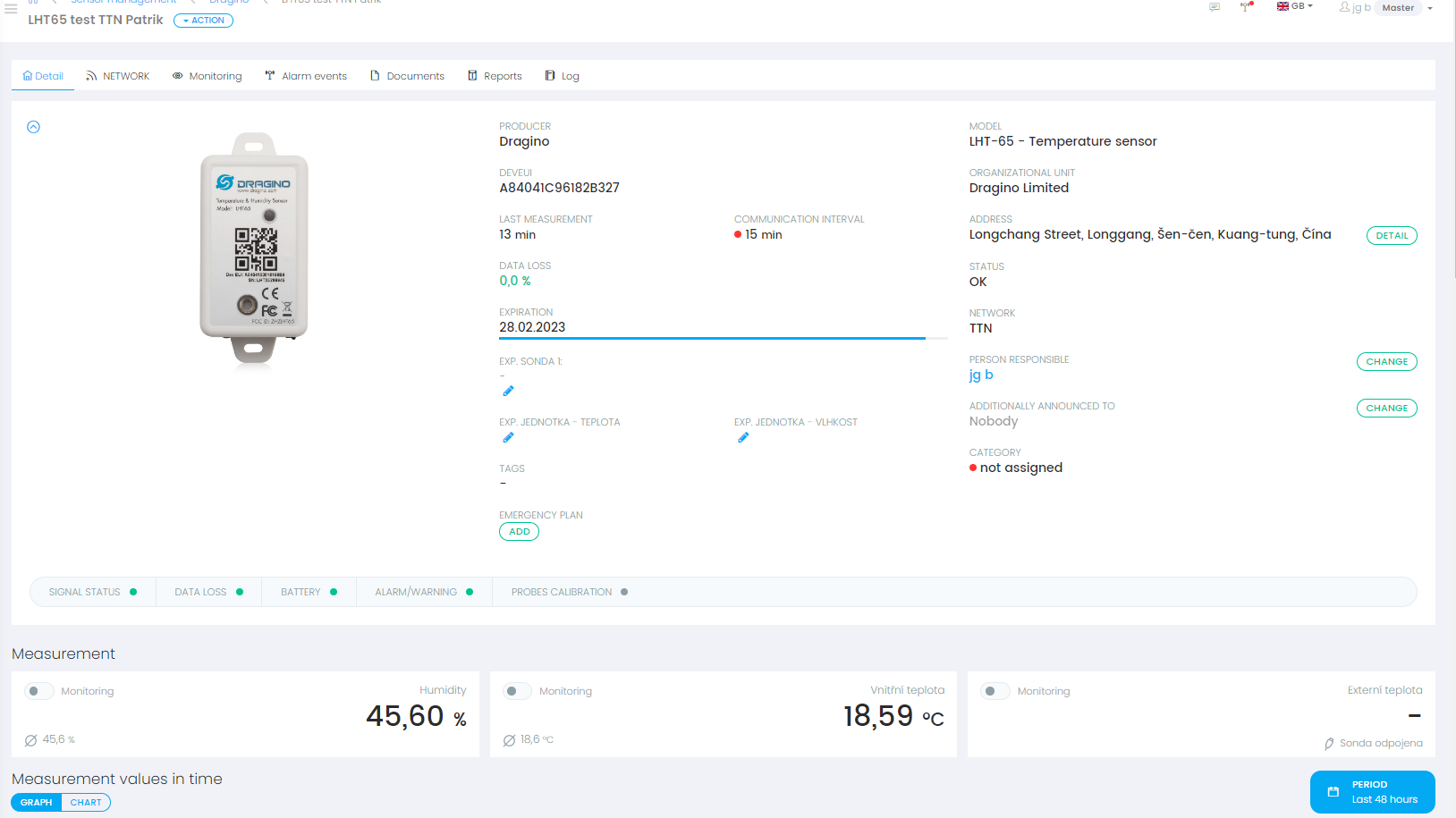
Tanix
1. Create device steps at Tanix
1.1 Create a webhook
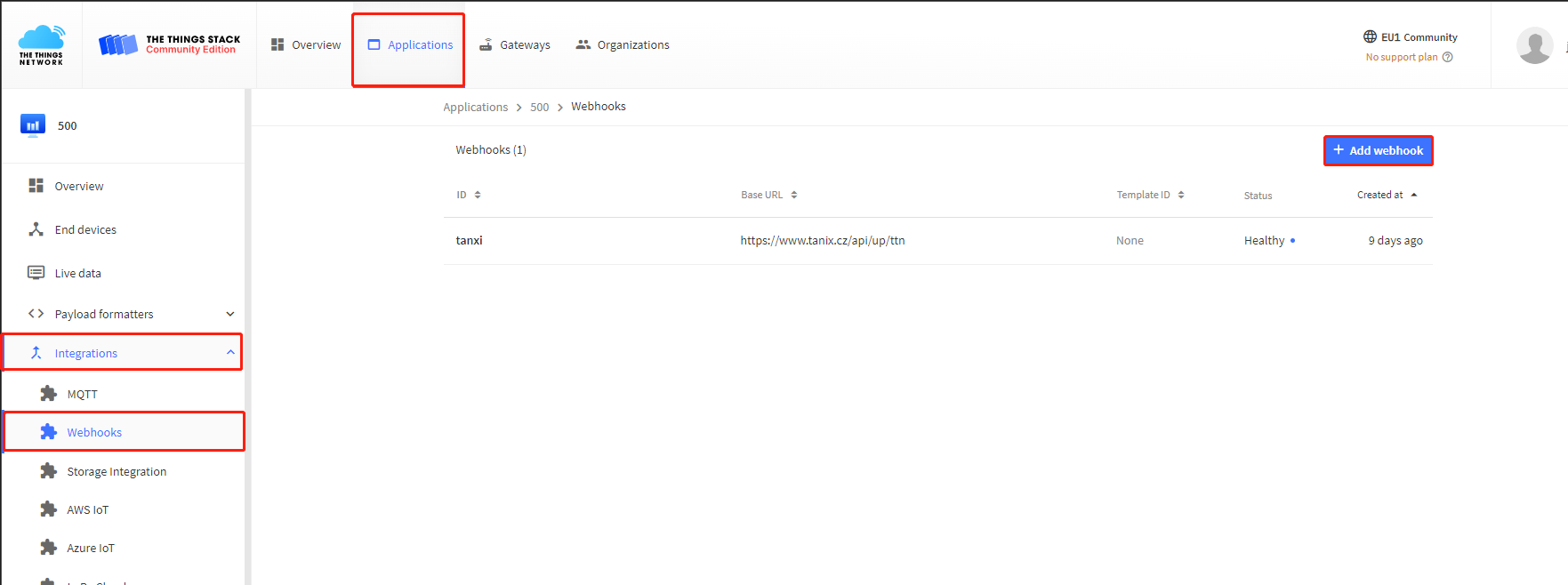
1.2 Choose a custom webhook
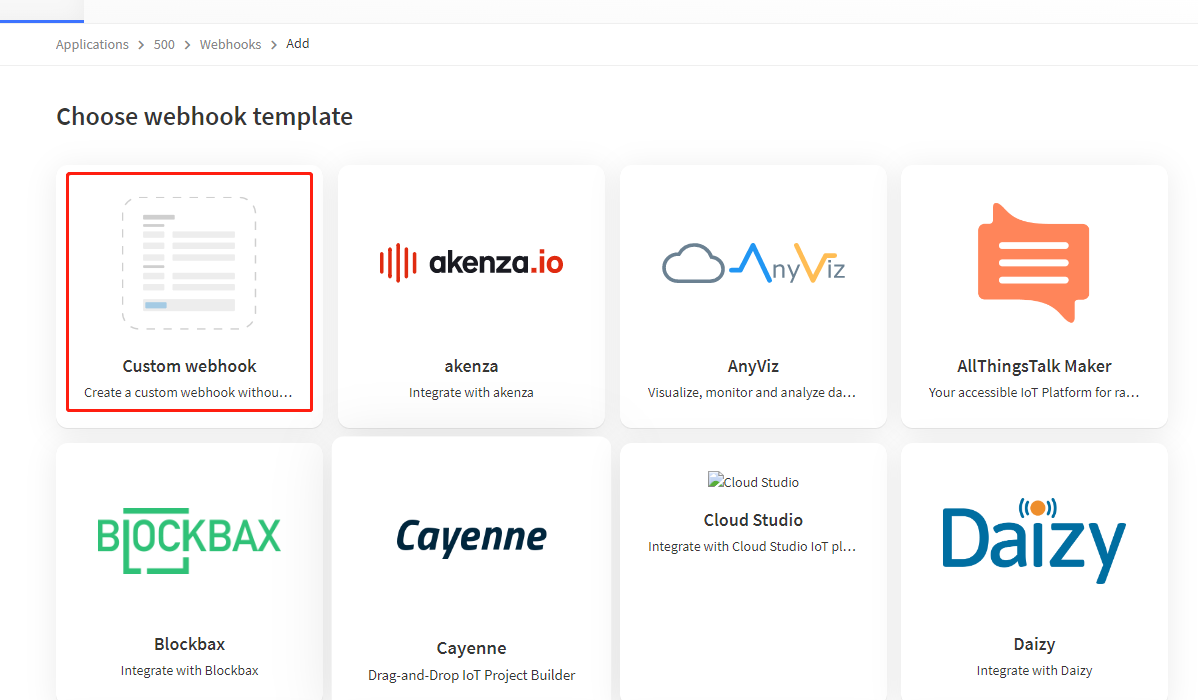
1.3 Fill in the data of the webhook in TTN
Webhook ID: customize
Base URL: https://www.tanix.cz/api/up/ttn
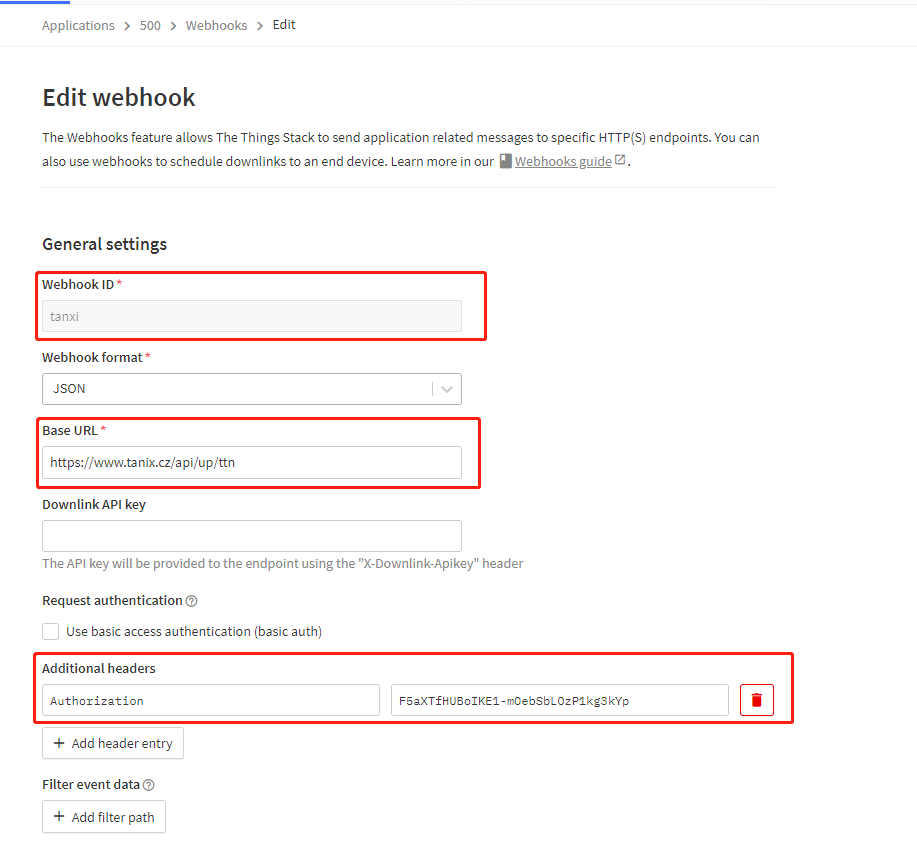
Additional headers: The company is automatically generated after creating a user
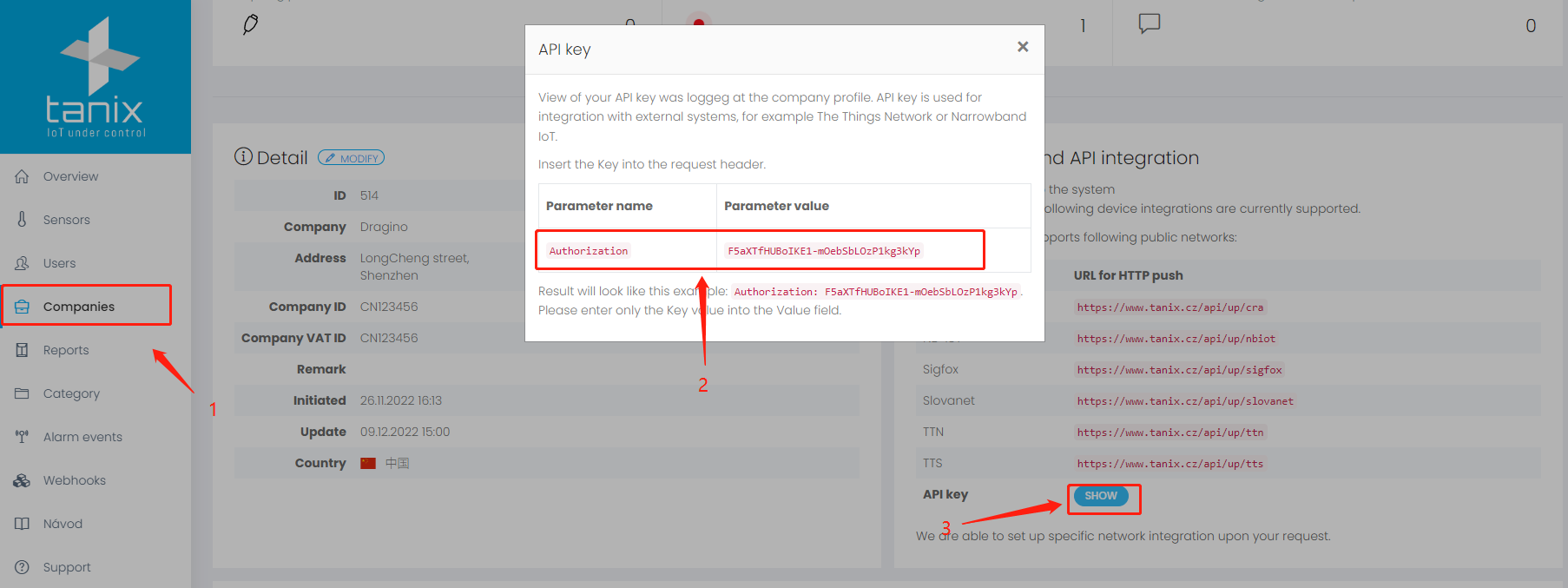
1.4 Create the corresponding node
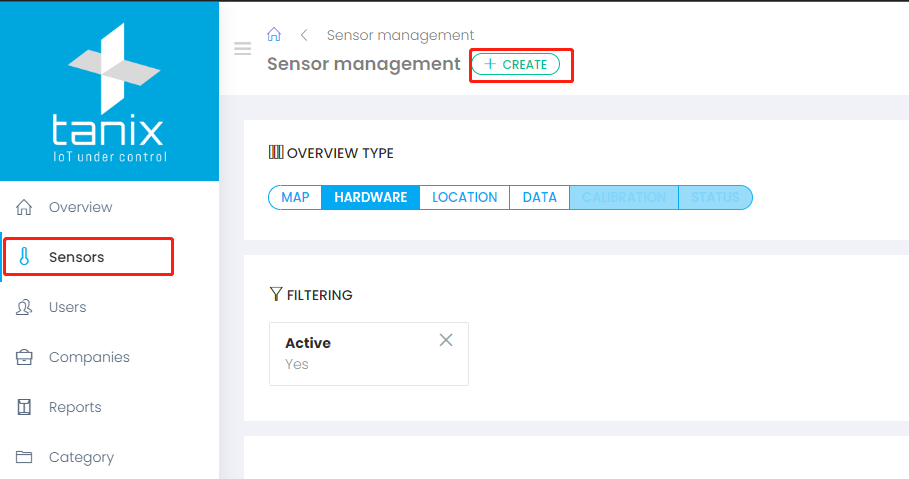
Create a node in the sensor and fill in the information
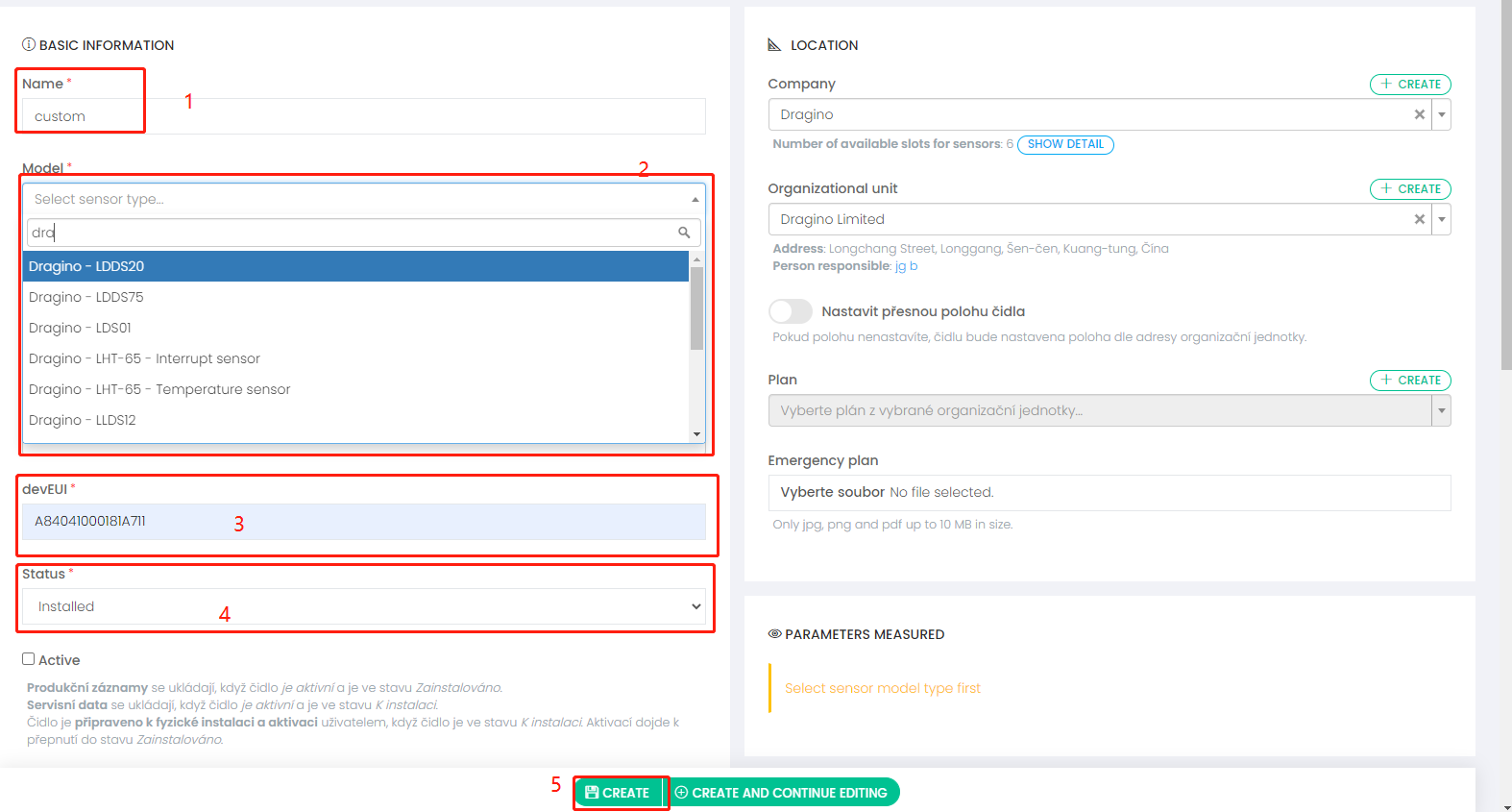
- Give the node a custom name
- Choose a node's template
- Fill in the DEVEUI of the node
- Choose if it is already installed
- End of creation or continue editing
1.5 Dashboard (example)